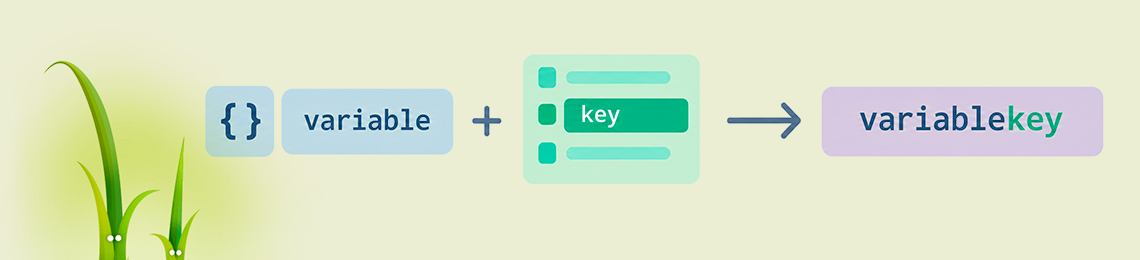
The Twig template engine resolves variable names at template compile time. Because of this, a construct like {{ var_~language_id }} does not produce the variable var_1 or var_2. Twig treats var_ as a separate undefined variable, converts it to an empty string, and appends the value of language_id to it. The result printed on the page is simply "1". Every developer who builds multilingual OpenCart modules runs into this, since controllers pass variables such as title_1, title_2, and entry_name_3 to templates with the language ID embedded in the name. Twig offers several ways to assemble a variable name or array key from parts, and each has its own scope depending on the engine version.
The tilde (~) performs string concatenation in Twig. Both operands are converted to strings, so 'title_' ~ 5 yields 'title_5', and 'price_' ~ product.id ~ '_old' yields 'price_42_old'. The operator on its own only produces a string value. For that string to act as a variable name, it has to be passed into a construct that accesses a variable or array element by a name computed at runtime. Twig has four such constructs: the attribute() function, square brackets, the dynamic dot operator, and string interpolation combined with any of the first three.
The _context Variable and the attribute() Function
Every Twig template has a special variable called _context. It is an associative array holding all variables of the current context: those passed from the controller, those declared with {% set %}, and globals. In OpenCart, it contains the entire $data array that the controller passes to $this->load->view(). So the variable title_1 is available as the _context element with the key 'title_1'.
The attribute() function lets you access an attribute, method, or property of an object or array when its name is stored in a variable or generated by an expression. Combining these two mechanisms gives the classic form:
{{ attribute(_context, 'var_' ~ language_id) }}
A typical example from an OpenCart 3 module settings form, where the title is stored separately for each language:
{% for language in languages %}
  <div class="input-group">
    <span class="input-group-addon">
      <img src="language/{{ language.code }}/{{ language.code }}.png" title="{{ language.name }}" />
    </span>
    <input type="text"
           name="module_banner_title_{{ language.language_id }}"
           value="{{ attribute(_context, 'module_banner_title_' ~ language.language_id) }}"
           class="form-control" />
  </div>
{% endfor %}
The function works with any array or object, so _context is just one particular case. The expression attribute(product, 'name_' ~ language_id) accesses an element of the product array, and attribute(order, 'get' ~ field|capitalize) calls a method on an object. The third argument accepts an array of method parameters: attribute(object, method_name, [arg1, arg2]).
The function's status in newer versions deserves attention. The attribute function has been deprecated since Twig 3.15, and its replacement is the dot operator, which now accepts any expression wrapped in parentheses. The function will still remain available in Twig 4.0 to ease migration. For OpenCart 3 templates running on Twig 2, this has no effect at all. In projects on Twig 3.15 and later, calling attribute() produces deprecation notices in the logs.
Square Brackets as a Universal Approach
Since _context is a regular PHP array, you can access it with square brackets and a computed key:
{{ _context['var_' ~ language_id] }}
For arrays, this form is equivalent to calling attribute(), is shorter, and works across every Twig branch from 1.x to 3.x without any warnings. Square brackets suit nested structures where only part of the path is dynamic:
{{ module_description[language.language_id].title }}
{{ product_option['option_' ~ option.option_id]['value_' ~ value.id] }}
{{ settings[store_id]['theme_' ~ theme_code ~ '_width'] }}
The first line shows the most common OpenCart pattern: an array indexed by language ID. This is exactly how the OpenCart core stores product, category, and information page descriptions in admin forms (product_description[language.language_id].name).
Square brackets work reliably with arrays and with objects implementing the ArrayAccess interface. Calling an object method by a dynamic name requires the attribute() function or the dynamic dot.
The Dynamic Dot Operator in Twig 3.15+
Starting with version 3.15, the dot operator accepts an expression in parentheses. The _context example takes this form:
{{ _context.('var_' ~ language_id) }}
{{ product.('name_' ~ language_id) }}
{{ user.('get' ~ field|capitalize)() }}
The Twig documentation names two scenarios for this syntax. The first covers attributes with special characters: user.('first-name') is equivalent to the non-working user.first-name, where the hyphen would be parsed as the minus operator. The second covers dynamic names computed from a variable. Before version 3.15, both tasks were handled with attribute().
The dynamic dot combines with the null-safe operator ?., added in Twig 3.23, which returns null without throwing an exception when the left operand is null. The expression order?.('shipping_' ~ method) evaluates safely even when the order variable is empty.
Version 3.28 extended the mechanism to macros. Previously, calling a macro whose name was known only at runtime required the attribute() function, and the dot operator did not support macros. A macro is now selected like this:
{% import "forms.twig" as forms %}
{% set field = 'text' %}
{{ forms.(field)(name, value) }}
String Interpolation
Twig supports embedding expressions in strings using the #{...} syntax. Interpolation works exclusively in double-quoted strings. In single quotes, #{...} stays plain text. These two expressions therefore give the same result:
{{ attribute(_context, 'entry_' ~ field) }}
{{ attribute(_context, "entry_#{field}") }}
Interpolation is convenient when a name consists of several variable parts:
{{ _context["module_#{code}_status_#{store_id}"] }}
Any expression is allowed inside #{}, including filters and attribute access: "field_#{language.language_id}_#{type|lower}". For names with a single variable fragment, the tilde reads more easily. For names with three or more fragments, interpolation reduces the number of quotes and operators.
Dynamic Keys When Building Arrays
Concatenation is also needed in the opposite direction, when the template itself builds an array with keys like title_1. A Twig hash literal treats an unquoted key as a string, so { key: value } creates an element with the key 'key'. To have the key evaluated, wrap it in parentheses:
{% set titles = {} %}
{% for language in languages %}
  {% set titles = titles|merge({ ('title_' ~ language.language_id): language.name }) %}
{% endfor %}
There is a hidden detail in the merge filter. For arrays, it uses PHP's array_merge function, which renumbers integer keys. If you write titles|merge({ (language.language_id): language.name }), keys 1, 2, 3 become 0, 1, 2, and the link to the language ID is lost. A string prefix such as 'lang_' or 'title_' keeps the keys intact.
Creating a variable with a dynamic name through {% set %} is impossible. The set tag expects a static name, so such tasks rely on an intermediate array, as in the example above, accessed through square brackets.
Existence Checks and Default Values
A dynamic name may point to a variable that is absent from the context. Twig's behavior here depends on the strict_variables option. When it is disabled, accessing a missing key returns null and prints an empty string. When it is enabled, Twig throws a RuntimeError with the message "Key "var_5" does not exist". To make a template behave consistently under any setting, the check is made explicit:
{% if attribute(_context, 'title_' ~ language_id) is defined %}
  {{ attribute(_context, 'title_' ~ language_id) }}
{% endif %}

{{ _context['title_' ~ language_id]|default('') }}
{{ _context['title_' ~ language_id] ?? heading_title }}
The defined test can check whether a dynamic attribute exists, and the default filter and the ?? operator suppress the error for undefined keys. The ?? operator is handy for cascading fallbacks, when a missing translation should be replaced with the value for the default language.
Operator Precedence in Concatenation Expressions
The tilde has its own precedence relative to arithmetic operators and ??, and in Twig 3 it differs from what is planned for Twig 4. The expression 'var_' ~ language_id + 1 is evaluated in Twig 3.x as ('var_' ~ language_id) + 1, which tries to add one to a string. Using ~ together with + or - without clarifying parentheses triggers a deprecation since Twig 3.15, and in Twig 4.0 the + and - operators will take higher precedence than ~. A similar change applies to the ?? operator: foo ?? bar ~ baz is considered deprecated and should be rewritten as (foo ?? bar) ~ baz for Twig 3 behavior or foo ?? (bar ~ baz) for Twig 4 behavior.
For dynamic names, this comes down to a simple rule: wrap any arithmetic inside a key in parentheses. The expression _context['var_' ~ (language_id + 1)] works the same in every version and produces no warnings.
Compatibility in OpenCart 2.3, 3, and 4 Modules
The choice of syntax for an OpenCart module is determined by the Twig version shipped with the core. The 3.0.x branch requires twig/twig ^2.4.8 in its composer.json, the current OpenCart 4 branch requires twig/twig ^3.3.7, and some OpenCart 3 store owners upgrade Twig to version 3 themselves to gain PHP 8.x support. Compatibility of each approach breaks down as follows:
_context['var_' ~ id] works in Twig 1.x, 2.x, and 3.x without warnings and suits modules distributed for several OpenCart versions at once.attribute(_context, 'var_' ~ id) works in all versions and produces deprecation notices only in Twig 3.15 and later._context.('var_' ~ id) requires Twig 3.15+ and causes a compile-time syntax error on OpenCart 3 with the stock Twig 2.- A dynamic macro call
forms.(name)() requires Twig 3.28+.
The most robust solution for your own modules is to avoid creating variables with a language ID in their names altogether. The controller builds a nested array:
foreach ($languages as $language) {
    $language_id = $language['language_id'];
    $data['title'][$language_id] = $this->config->get('module_banner_title_' . $language_id);
}
The template accesses it with ordinary square brackets:
<input type="text"
       name="module_banner_title[{{ language.language_id }}]"
       value="{{ title[language.language_id] }}"
       class="form-control" />
This form compiles identically in Twig 2 and Twig 3 and does not depend on _context or the status of the attribute() function. PHP receives a form field named module_banner_title[1] as an array, so the settings model stores all translations as a single record in the setting table with serialized = 1. Variable name concatenation in this approach is reserved for cases where the data structure is defined by someone else's code: the OpenCart core, a third-party module, or a theme you have no way to modify.